
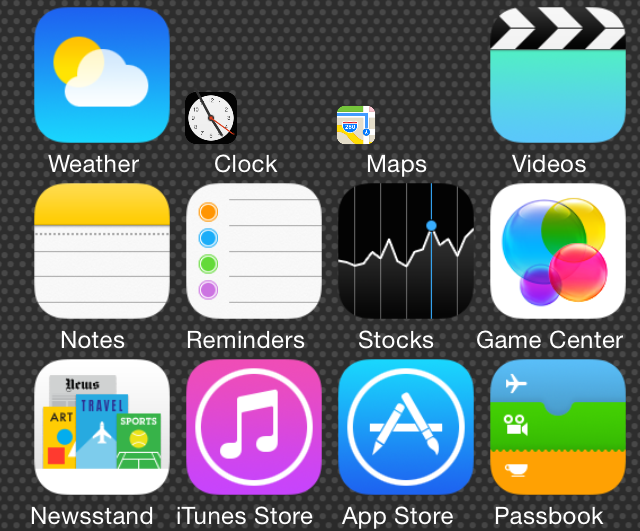
Icon Resizer is a new jailbreak tweak that does exactly what its name saysâ€"allows you to resize the iPhone’s Home screen app icons. We’ve downloaded it, tested it out, and would like to show you how it works in action.
Although you won’t find Icon Resizer on any of Cydia’s default repos as of this post, it is available for download via the developer’s GitHub repo, which we will, of course, share with you. Check past the jump for our full video analysis and other vital details of this interesting new jailbreak release.
Once you install Icon Resizer, head to the stock Settings app and find the tweak’s preferences. Inside the preferences you’ll find the standard kill switch, along with a section to select specific apps whose app icons you wish to resize.

The icon sizes range from 20â€"really smallâ€"to 120â€"over-the-top large. The normal icon size is 62, but you can choose to specify a default icon size for all app icons between the range of 20 and 70. Once you get past 70, the icons become quite unwieldy, which significantly degrades the user experience.
While Icon Resizer is worth a look considering it is free, other jailbreak tweaks, namely the just updated Springtomize 3, allow you to perform similar functions. Still, Icon Resizer has enough subtle differences to warrant taking it for a spin. If you’d like to do so, add the following repo to your list of Cydia sources: http://evilgoldfish.github.io/repo/
Would you consider using Icon Resizer?
No comments:
Post a Comment