
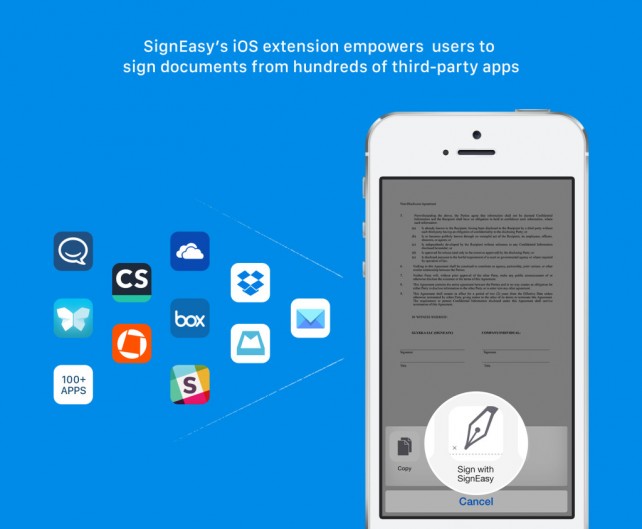
On iOS, I regularly sign digital documents using a combination of Microsoft’s Word app [1] , Smile’s PDFpen 2 [2] , and a scanned image of my signature which I keep in Dropbox . SignEasy [3] , however, has a new iOS 8 extension that promises to make the process of signing documents much easier.
You can download SignEasy on the App Store now, and it’s available free of charge for the iPhone, iPad, and iPod touch. Provided you’re running iOS 8.0 or above, iOS device owners can take advantage of the new SignEasy extension, which reached the app following an update last week.
Once the latest version of SignEasy has been installed on your iOS device, users enable and begin calling on the brand new extension from inside a huge range of compatible applications. The Mail app, Mailbox [4] , Dropbox [5] , OneDrive [6] , Slack [7] , and more are among the “hundreds†of iOS apps which support SignEasy. In order to sign your signature using the app, simply tap the iOS 8 extension and select “Sign with SignEasy.†Upon doing so, the app will drop your signature right into the file you’re currently viewing â€" it’s as simple as that.

SignEasy for iOS.
Users will need to sign up for a SignEasy account in order to use the application and its extension, though the option to log in with Google is made available (which will obviously speed up the sign in process). Unfortunately, a pro account will also be needed if users wish to sign more than three documents using the service; one of these will set you back $39.99 annually, though an attractive pay-as-you-go plan is available and starts at $4.99.
Besides supporting document signing using the aforementioned extension, SignEasy also allows users to mark checkboxes or other annotations using the app, to switch text styles or colors, or to insert images into a document. Furthermore, “Pro Plan†users also get Dropbox, Box, Google Drive, and OneDrive support for importing and saving documents, as well as a number of other benefits.
All in all, SignEasy is a simple to use service that could make your life a lot easier. Though given the app’s pricey subscription costs, I think I’ll be sticking with my tried and tested PDFpen-based method.
You can download SignEasy free of charge on the App Store [8] , and it’s optimized for the iPhone, iPad, and iPod touch.
See also: Apple releases a fifth beta version of OS X Yosemite 10.10.3 to registered developers and the public testing program , Capitan app offers ‘smart’ shopping , and MLB is important to HBO and Apple and it has nothing to do with baseball .
Links
- ^ Microsoft’s Word app (getapp.cc)
- ^ Smile’s PDFpen 2 (getapp.cc)
- ^ SignEasy (getapp.cc)
- ^ Mailbox (getapp.cc)
- ^ Dropbox (getapp.cc)
- ^ OneDrive (getapp.cc)
- ^ Slack (getapp.cc)
- ^ SignEasy free of charge on the App Store (getapp.cc)
No comments:
Post a Comment