
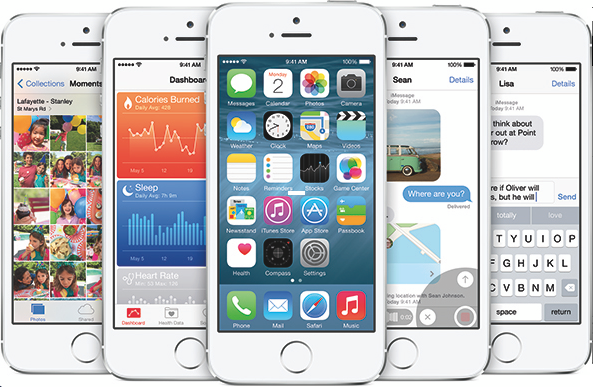
Since Apple seeded the inaugural beta of iOS 8 last week, we’ve been asked seemingly hundreds of times if the upgrade is worth giving up a jailbreak . As we all know, once you update past iOS 7.0.6 you lose the ability to jailbreak, and there’s no way to downgrade .
Now, we already touched on this subject during last week’s episode of Let’s Talk Jailbreak , but given how popular the topic has been, we wanted to cover it in a post. It’s not exactly the easiest question to answer, but I’m going to do my best to break down your options…
Before we get started, it’s worth noting that the iOS 8 beta is currently only available to registered developers. We’re aware that some users have found a way to workaround this requirement, but we don’t educate on or condone those methods.
With that out of the way, let’s get down to business.
If you own one iOS device
The rule of thumb, with any operating system beta, is you should never install it on your main device. Beta software, by nature, is buggy, unstable, and incompatible with other applications, so you don’t want it hindering your primary means for communication.
The same holds true for iOS 8. While I’ve heard various accounts of its speed and stability, pretty much everyone agrees that the software still has several hiccups. Few developers (if any) have updated their apps to work properly with iOS 8, and a lot of the features shown off in the keynote last week are not available yetâ€"i.e. third party keyboards, widgets, etc.
Additionally, a lot of the new stuff in iOS 8 that you’d want to try is already available in Cydia , in one form or another, and what isn’t will likely be in the near future. Jailbreak developers have, in the past , brought various features and designs from new versions of iOS to their predecessors, and I see no reason why it would be any different this time around.
In case you haven’t picked up on it yet, we don’t recommend updating to iOS 8 on your main device. Once the newness wears off, you’ll want to downgrade, and you can only go back as far as iOS 7.1.1â€"which isn’t jailbreakable . At this point in timeâ€"remember this is just the first of what will likely be many betasâ€"the trade-off just isn’t worth it.
If you own multiple iOS devices
If you have more than one iOS device that is eligible to be updated to iOS 8, this becomes a much easier question to answer. I, for example, have a jailbroken iPhone 5s and an old iPhone 5 I use as a testing device, and I didn’t think twice about installing the beta on the latter. This gives me the best of both worlds, allowing me to checkout the new features in iOS 8, while still enjoying the benefits of a jailbreak.
Keep in mind, though, that even in this scenario, you’ll still be installing beta software on your device that will affect its usability and likely break most of your favorite apps. And, in the event that we don’t ever see a jailbreak released for iOS 7.1.x, you’ve doomed the device to stock until an iOS 8 jailbreak is releasedâ€"which may not happen until next year, if ever. Once again, I’m not sure it’s a worthwhile trade-off at this point.
Ultimately, whether you give up your jailbreak for iOS 8 or not is your decision. Just make sure to weigh the pros and cons we laid out above, instead of acting on impulse in the midst of all of the excitement. The last thing you want is buyers remorse on something that can’t be returned.
No comments:
Post a Comment