
Whether you don't have a TV at home, or you need to be out during the matches of the Fifa World Cup that starts from Thursday, you needn't give up hope, because there are plenty of ways in which you can keep up with the action as long as you are online.
Most of the well-known international apps and sites like the BBC iPlayer, don't have the rights to air the matches in India, but there are plenty of local alternatives.
Since there is no single global solution, this guide is only useful to people in India; different broadcasters hold the rights to stream the matches around the world, so it wouldn't be possible to list solutions for every country. However, if you can do without video, you can follow the action on radio thanks to TuneIn Radio - it is free and works on iPhone [1] and iPad [2] and Android devices [3] . You can also visit the website directly, and go to their World Cup Page [4] . Otherwise, here is a list of broadcasters [5] for the Fifa World Cup globally - check your local broadcasters page and you might find a way to follow online.
Here's what you'll need in India, to watch the Fifa World Cup on your PC, phone or tablet.
Liv Sports website

Sony Liv has the digital rights for the Fifa World cup in India, and you can watch along on their webpage. To watch the matches, just visit the website [6] from your computer and register online for free. Aside from watching the streams, you can also get information about the games, match stats, highlights and exclusive interviews. The website is offering the Fifa World Cup pack for 120 rupees for the entire tournament, which seems like quite a bargain.
YouTube
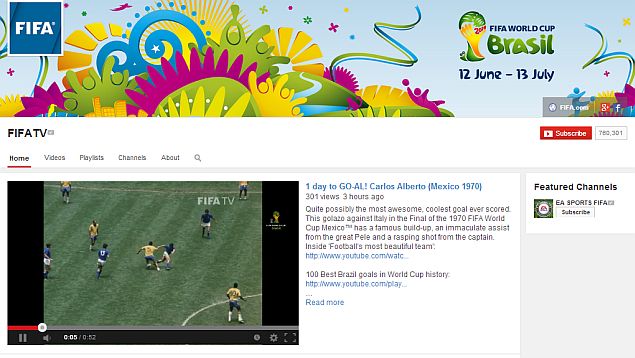
In case the Liv Sports website isn't working properly for some reason, you can double check with the official Sony Six Channel [7] on YouTube . The channel will carry a delayed broadcast of the matches, which might also be handy if you've missed something exiting and want to "rewind" a little. Also, on the official Fifa channel [8] on Youtube you can watch highlights from the matches, and also classic matches and other videos.
Liv Sports app
This is the official app for Sony Liv, and the easiest way to watch the matches on your phone or tablet. However, it also requires an up-front payment to watch the action, just like the website.
On your phone, you need to download the Liv Sports app (pictured above), which is available for both iOS [9] and Android [10] devices. The app is free to download, but you need to pay to watch the streams. A Rs. 120 in-app purchase will give you access to everything, but if you just want to follow your favourite team, you could unlock all the matches of a single team for Rs. 60.
Aside from the HD streams, the app also includes real time stats and commentary of the matches, which are available to everyone.
Tata Sky Everywhere TV app
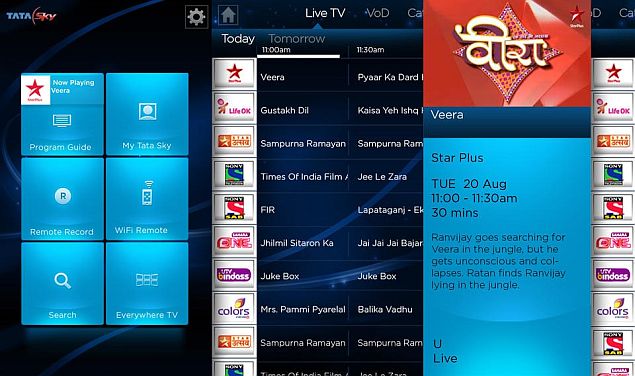
If you are a Tata Sky subscriber then you can download the mobile application for iPhone [11] , iPad [12] or Android devices [13] and watch the World Cup live. After that, you will need to activate Every where TV from Tata Sky, which is free for one month. After that, Tata Sky charges Rs. 60 for the service.
This is not a bad deal for a Tata Sky user, since it gives you access not just to the matches, but all your TV channels, on the go. And since the first month is free, you could use this to watch the matches without paying anything.
Links
- ^ iPhone (itunes.apple.com)
- ^ iPad (itunes.apple.com)
- ^ Android devices (play.google.com)
- ^ World Cup Page (tunein.com)
- ^ list of broadcasters (en.wikipedia.org)
- ^ website (www.livsport .in)
- ^ Sony Six Channel (www.youtube.com)
- ^ official Fifa channel (www.youtube.com)
- ^ iOS (itunes.apple.com)
- ^ Android (play.google.com)
- ^ iPhone (itunes.apple.com)
- ^ iPad (itunes.apple.com)
- ^ Android devices (play.google.com)
No comments:
Post a Comment