
Unique, innovative, powerful and very worthwhile – those are the rhetoric which be using to compliment the iPhone – the climax of the technology and creativity. Also, it will not be an exaggeration if I use that winged words to describe Tipard iPhone Ringtone Maker – nice product by our partner: Tipard Studio.
Continue the fortnight giveaway campaign between Freebiest and Tipard, now all Freebiest fans can create cool ringtone for iPhone from your loved music for free with full licensed version of this. Download, install, active and be creative!
Overview
 As a versatile iPhone Ringtone Converter, Tipard iPhone Ringtone Maker provides an all-in-one solution to make ringtone for iPhone, iPhone 3G, iPhone 3GS, iPhone 4 with your loved music. This iPhone Ringtone Maker can convert almost all mainstream video/audio formats including MPEG, WMV, MP4, DivX, MOV, RM, AAC, WMA, MP3 to iPhone M4R ringtone, even can convert concert recordings, MTV albums, and all popular DVDs to iPhone M4R ringtone and then transfer converted ringtones to iPhone with fast speed. Plus, it has been newly upgraded with more powerful compatibility.
Features
- Convert audio files to iPhone ringtone like MP3 to M4R
- Rip audio from video files to create iPhone ringtone
- Convert DVDs to iPhone ringtone
- Create iPhone Ringtone with music segment
- Manage your ringtone
- Preview function
- Transfer ringtone to iPhone directly
How to make iPhone ringtone M4R from my loved musics?
You can turn your loved music, videos (from DVD disc, or DVD folder) to cool iPhone ringtone (M4R file) and transfer it to your iPhone directly with 4 simple steps:
Step 1: Connect your iPhone with the program
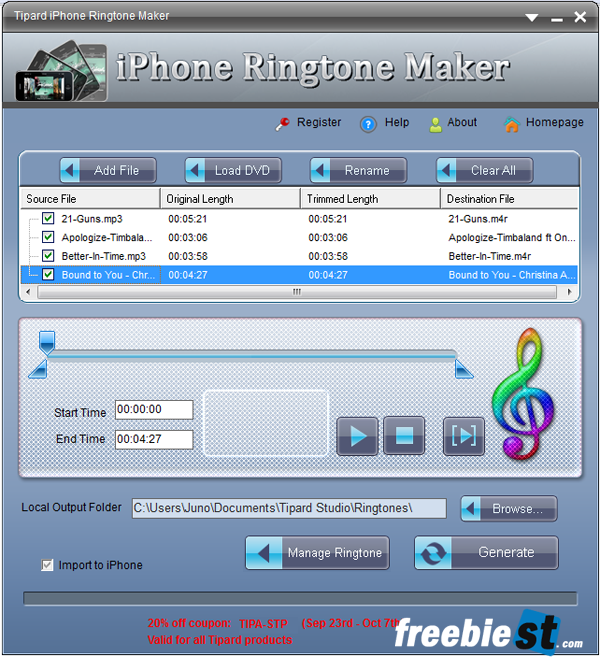
Step 2: Add files/ Load DVD
You can choose your favorite music/ video files with “Add files” button or load a DVD by clicking “Load DVD” button.
Step 3: Timing
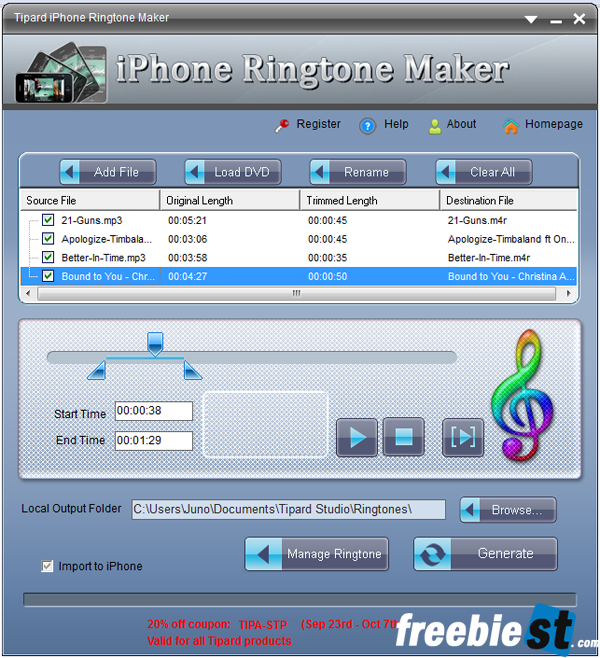
You have to timing on each file: set trim start and trim end by drag the Start time and End time button. The ringtone will be better if it’s trimmed length from 25 seconds to 45 seconds.
Step 4: Export M4R file to your computer or to iPhone directly
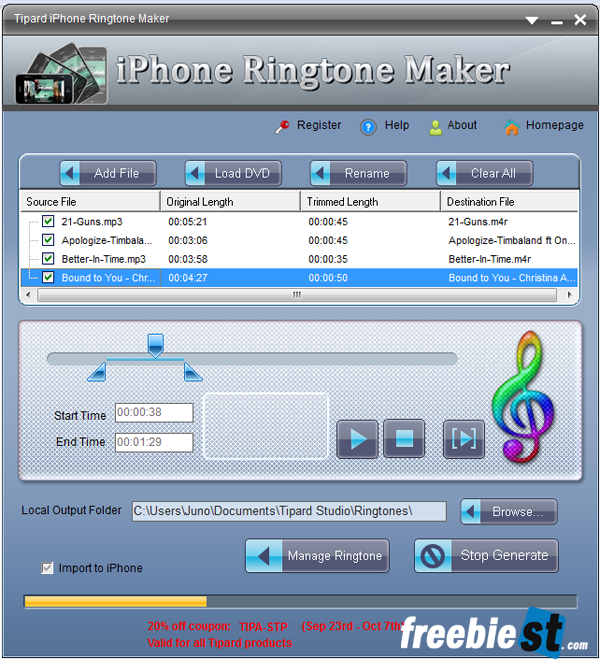
By click on “Generate” button, you can export your music tracks to enjoy it as ringtone for your iPhone. If you tick on Import to iPhone, after clicking Generate button, ringtone M4R files will be imported to your iPhone.
And now, enjoy your cool ringtone!
Fortnight Giveaway
In cooperation between Freebiest and Tipard Studio, we hold a big giveaway for Tipard iPhone Ringtone to welcome iPhone 5. All our readers can fell free to download, active and creative cool ringtone for iPhone by visit our promotion page [1] . You have 2 weeks from Sept 23rd to Oct 7th, 2011 to get it!
No comments:
Post a Comment